How-to guide
Strength levels
See where your main lifts stand for your body weight, from Beginner to Elite, and how far each one is from the next level. Strength levels are part of Premium.
-
Open Strength levels
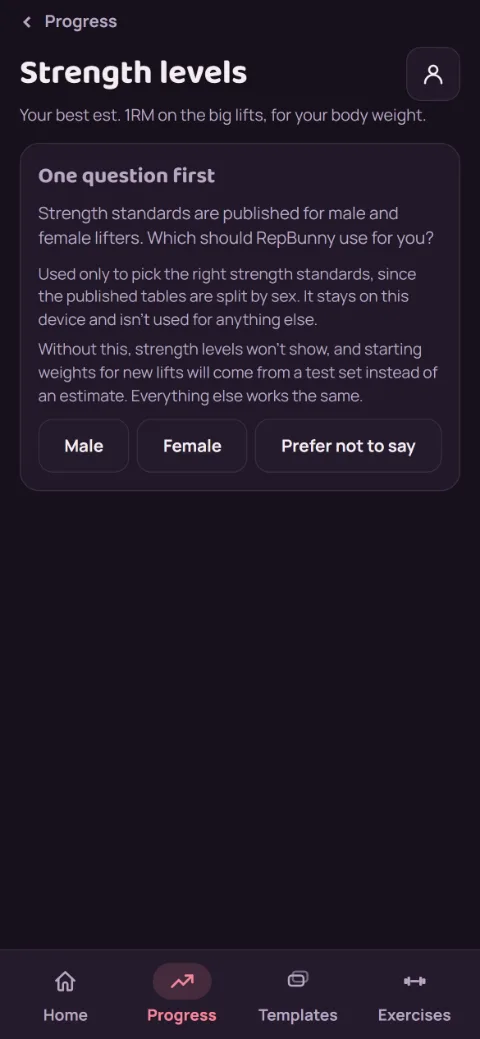
On the Progress tab, tap Strength levels. The first time, it asks one question: which standards to use. Published strength tables are split by sex, so that's all the answer is for. It stays on your phone. Pick Prefer not to say to skip it; levels just won't show, and everything else works the same.
-
Log a weigh-in
Levels compare each lift to your body weight, so they use your latest weigh-in from the Body weight screen. No weigh-in yet? The screen links you there.
-
Read your levels
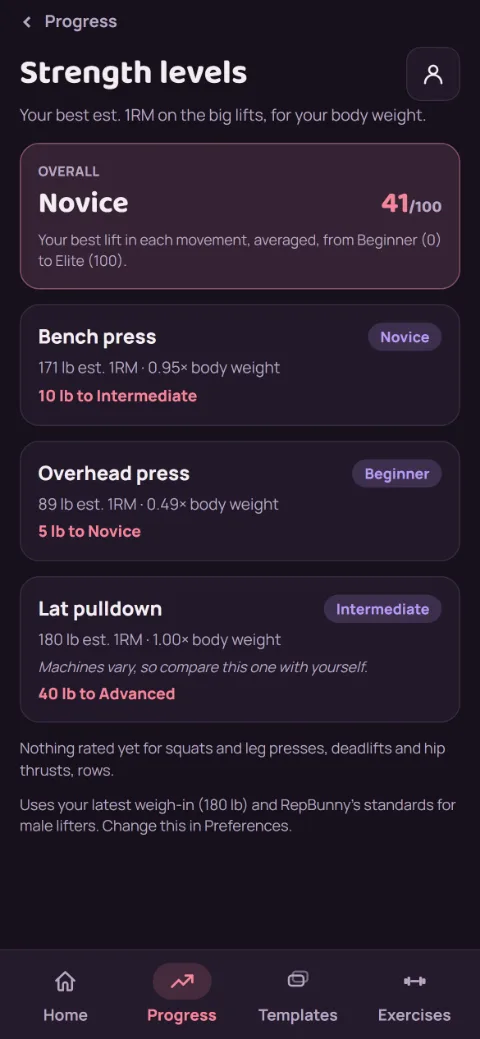
Each lift shows its best est. 1RM from any set of 1 to 12 reps, that number as a multiple of your body weight, its level, and how much more gets you to the next one, like 15 lb to Intermediate. At the top, Overall sums it up as one level and a score from 0 (Beginner) to 100 (Elite).
-
Which exercises count
The main lifts from the exercise library, each with its own standards: squats (back, front, Smith, hack, goblet, Bulgarian split), leg press, bench presses (barbell, incline, dumbbell, Smith, chest press machine), dips, deadlifts (conventional, sumo, trap bar, Romanian), hip thrusts, overhead and shoulder presses, rows (barbell, dumbbell, seated), pull-ups, chin-ups, and lat pulldowns. They count whether you added them from the library or typed the same name. Dumbbell lifts are rated per dumbbell, pull-ups and dips include your body weight, and machine numbers are rougher, since machines vary.
Maxed out a machine and switched to one leg or one arm? Name it that way, like Single Leg Press or One-Arm Chest Press. It's rated as the two-sided lift, since one side moves about 55% of what both do together, and the weight to your next level is shown per side.
Overall takes your best lift in each movement (squat, chest press, hinge, overhead press, row, pull), so logging three kinds of bench doesn't tip the score toward pressing.
-
Link your own exercises
Named an exercise your own way, like Flat DB Bench? If it looks like a library exercise, Strength levels shows a card saying it might count, and the Exercises tab shows a banner. Tap Review, then Yes, link it or No for each one. Linking keeps your name and history. To link one by hand, open the exercise's edit screen and use Library match, where you can also change or unlink it.
-
Change your answer
Tap the account button, then Preferences, and pick under Strength standards. Without Premium, Strength levels shows a blurred preview with Keep it with Premium or Go back.
Still stuck?
Email [email protected] and tell us what happened. A screenshot helps.