How-to guide
Starter programs
Not sure what to put in your templates? Start from a well-known plan: beginner full body, upper / lower, or push / pull / legs. Adding one makes ordinary templates that are yours to change. Starter programs are part of Premium.
-
Find the programs
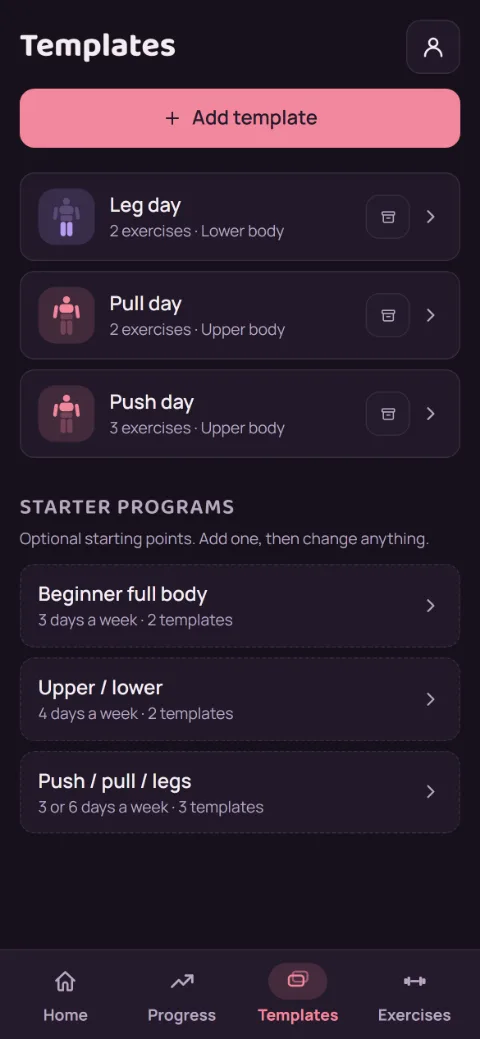
Go to Templates and scroll past your templates to Starter programs. Each one says how many days a week it takes and how many templates it adds.
-
Read about one
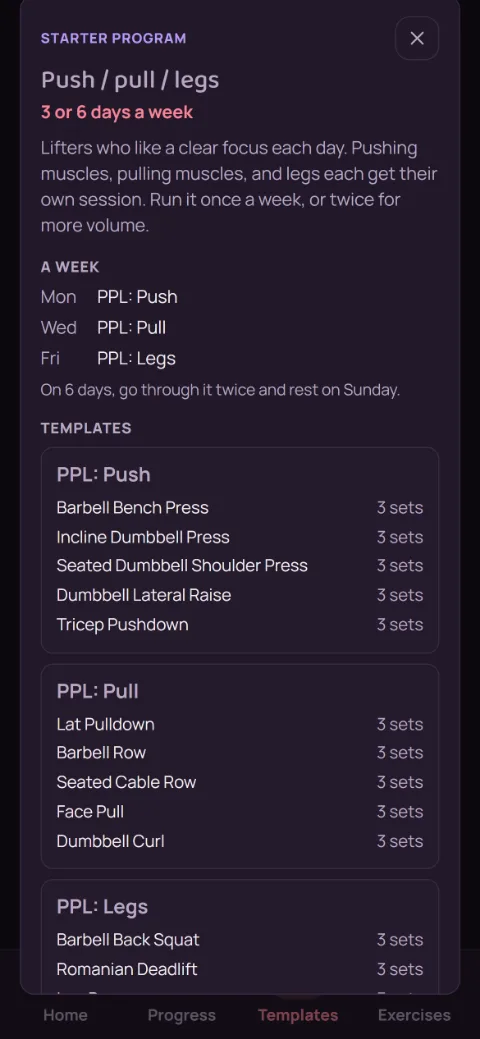
Tap a program to see who it suits, what a week looks like, and the exercises and sets in each template. Every lift aims for 8 to 12 reps a set.
-
Add it
Tap Add 3 templates (the number depends on the program). They show up in your list named after the program, like PPL: Push. Exercises you already have are reused with your settings. New ones come from the library with a rest time picked for them.
-
Make it yours
Tap a template to rename it, add or remove exercises, or change the sets, the same as any template you made yourself. Next-set targets work on every lift. If Premium ends, the templates you added stay.
Still stuck?
Email [email protected] and tell us what happened. A screenshot helps.