
How-to guide
Rest timer
RepBunny times your rest after each set, so you know when to start the next one. It keeps counting while you check your progress or switch screens.
-
Pick a rest time
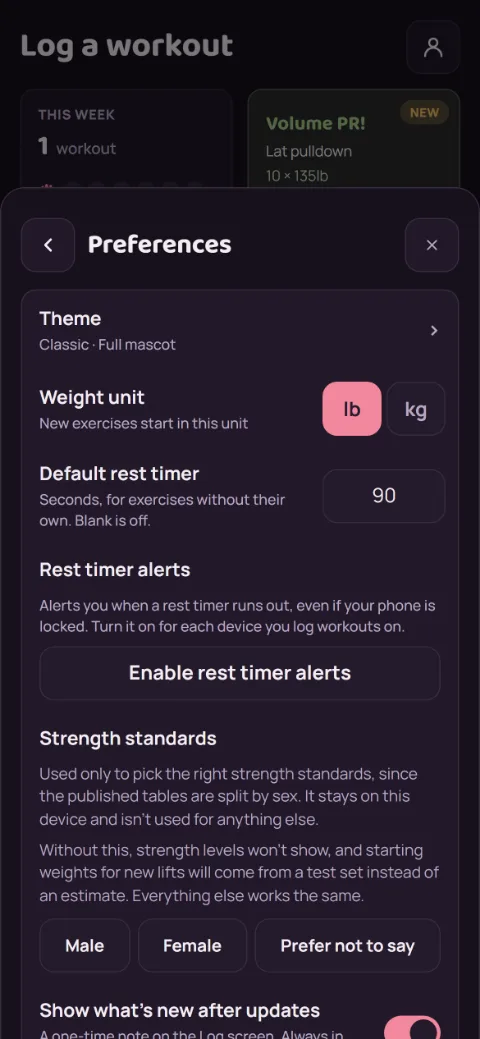
Each exercise can have its own: open it in Exercises and set Rest timer (seconds). For everything else, tap the person icon, then Preferences, and set Default rest timer. Leave it blank to turn it off.
-
Log a set
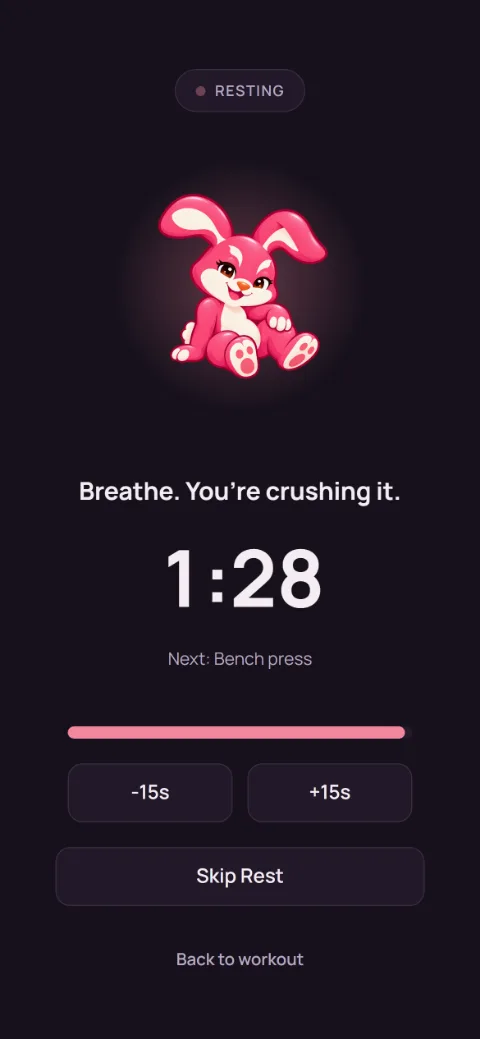
Tap Add set and the timer starts. Tap -15s or +15s to change it, or Skip Rest when you’re ready early.
-
Keep going while you rest
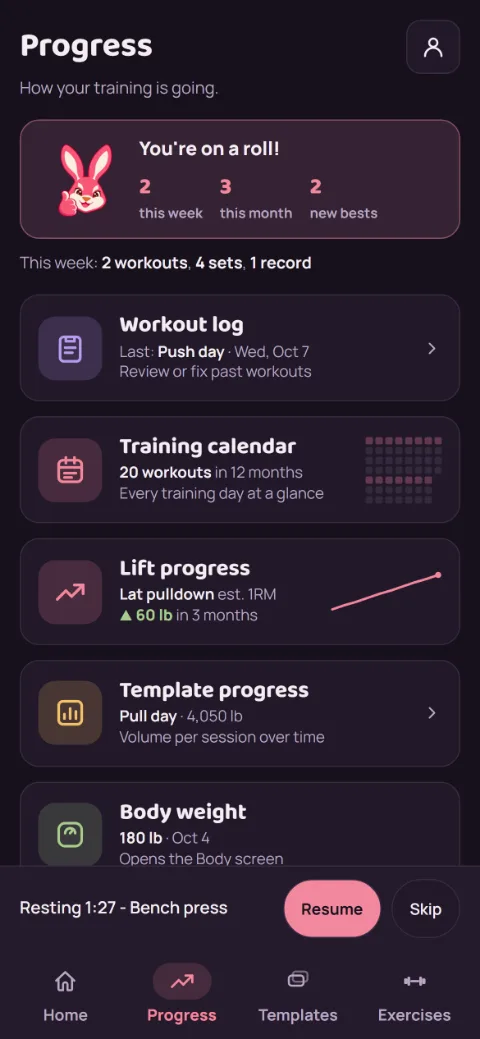
Tap Back to workout, or switch to another tab. A bar above the tabs keeps counting. Tap Resume to see the full timer again, or Skip to end it.
-
Get an alert when it’s done
In Preferences, turn on Rest timer alerts to get a notification when your rest ends, even with your phone locked. Turn it on for each device you log on.
Still stuck?
Email [email protected] and tell us what happened. A screenshot helps.