
How-to guide
Report a bug
Something went wrong? Send us what happened, along with the errors RepBunny logged, right from the app. You see everything before it goes out.
-
Open Report a bug
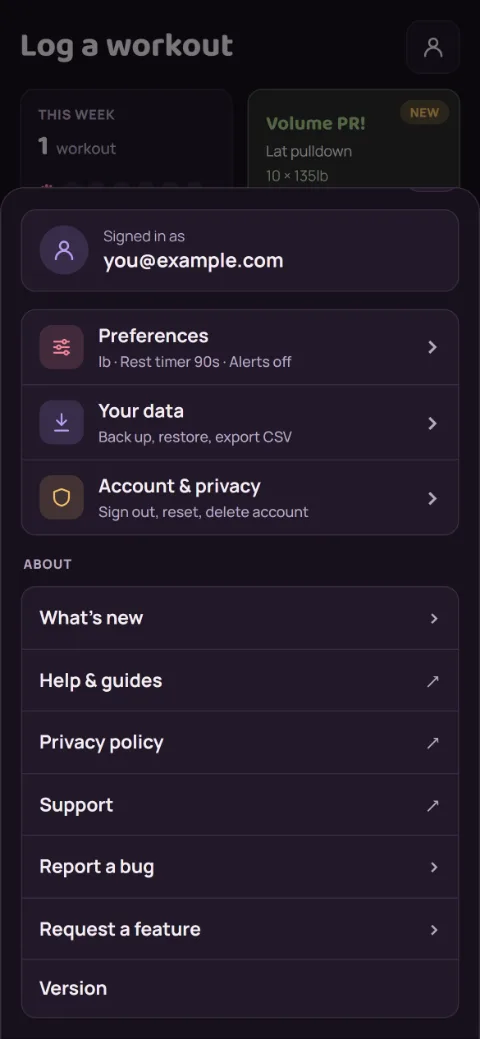
Tap the person icon at the top right of any screen to open Account. Report a bug is under About.
-
Say what happened and pick the errors
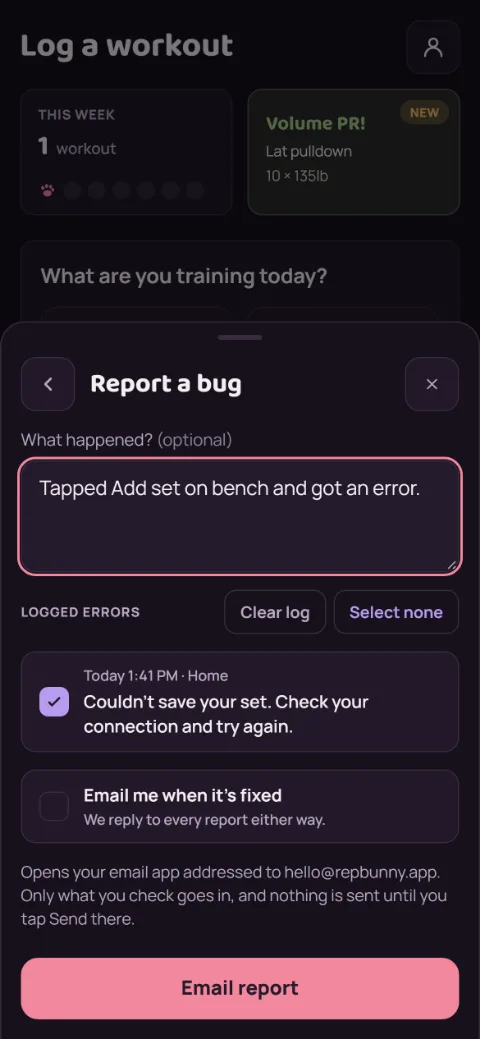
A sentence about what you tapped and what you saw helps the most. RepBunny lists the errors it logged, and the last 24 hours start checked. Uncheck anything you’d rather not send.
Want to hear back when it’s fixed? Check Email me when it’s fixed. We reply to every report either way.
-
Send it from your email app
Tap Email report. Your email app opens with the report filled in and addressed to [email protected]. Nothing is sent until you tap Send there.
Still stuck?
Email [email protected] and tell us what happened. A screenshot helps.