
How-to guide
Plate calculator
Skip the mental math. Pick a weight and RepBunny shows which plates go on each side of the bar, using the plates your gym actually has. It’s part of Premium.
-
Start a barbell lift
Start a workout and pick a barbell lift, like bench press or squat. A Plates button shows up next to lb and kg. Lifts you made yourself get it once you open them in Exercises and turn on Uses a barbell.
-
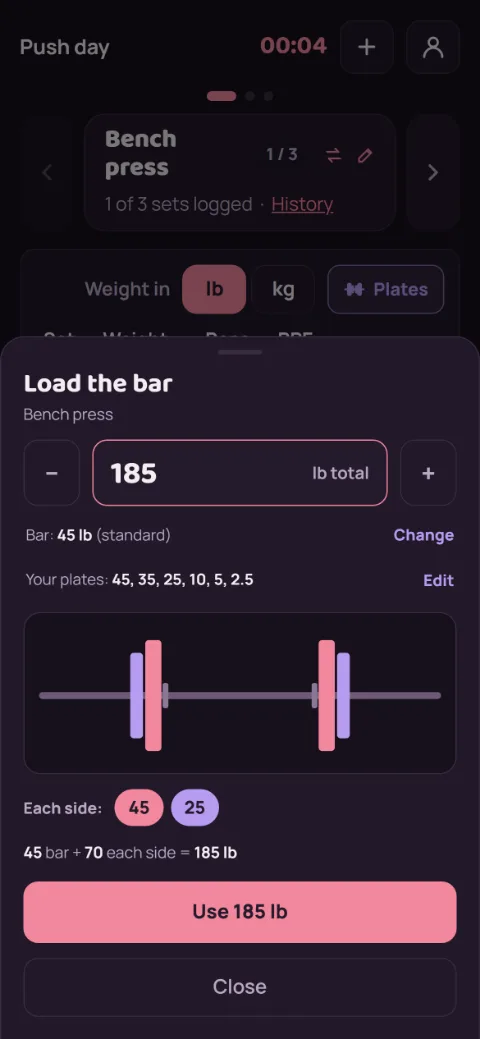
Tap Plates
It opens at the weight in your set. Type a different total, or tap − and + to step through the weights you can load. The picture and Each side show what goes on, smallest plates outside.
-
Set your gym’s plates and bar
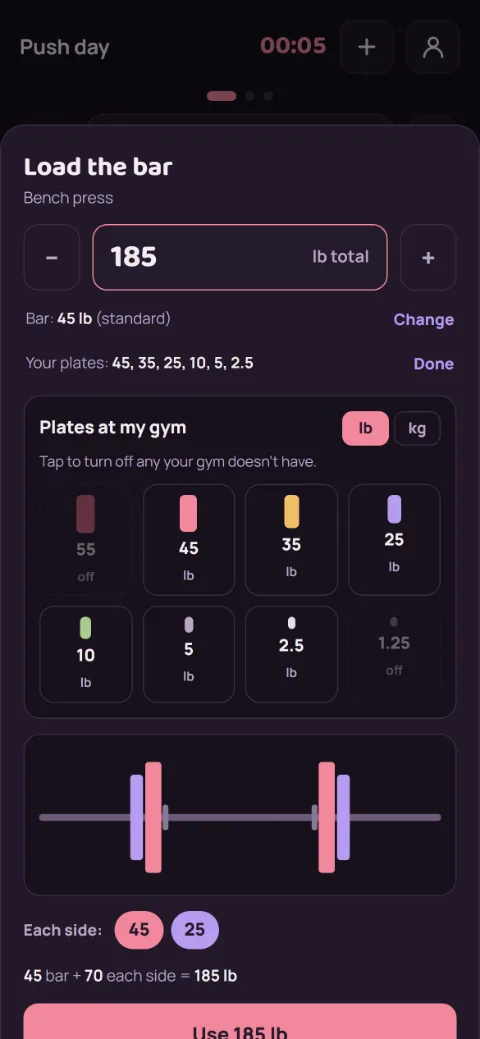
Next to Your plates, tap Edit, then tap a plate to turn it on or off so the list matches your gym. Next to Bar, tap Change to pick a women’s, EZ curl, or other bar. The bar is saved for that lift only.
-
Can’t make it exactly?
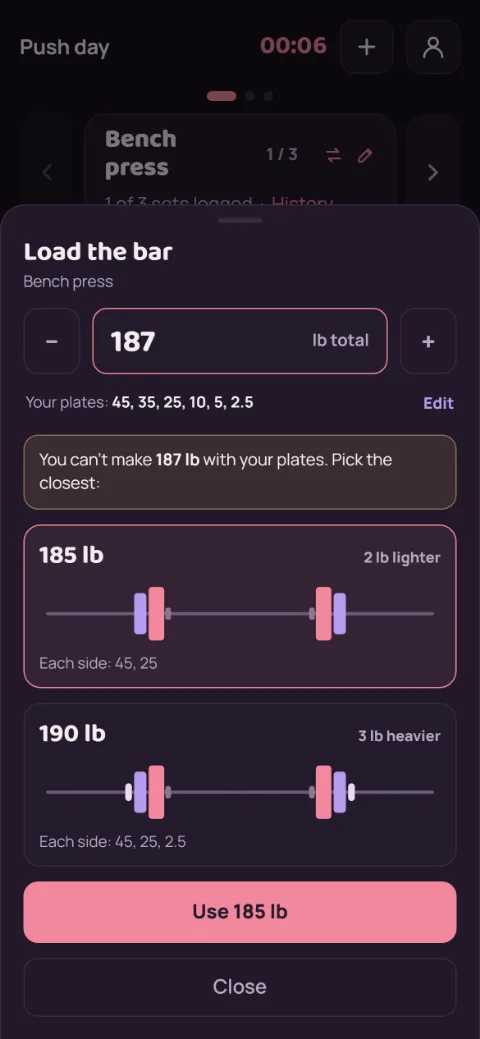
If your plates can’t add up to that weight, you get the closest one lighter and the closest one heavier. The lighter one is picked for you. Tap the other to switch.
-
Use it
Tap Use and the weight goes into your set, ready to log.
Still stuck?
Email [email protected] and tell us what happened. A screenshot helps.