How-to guide
Back up just what you need
A backup doesn’t have to be everything. Save just your templates to share with a friend, or just your preferences to set up a new phone.
-
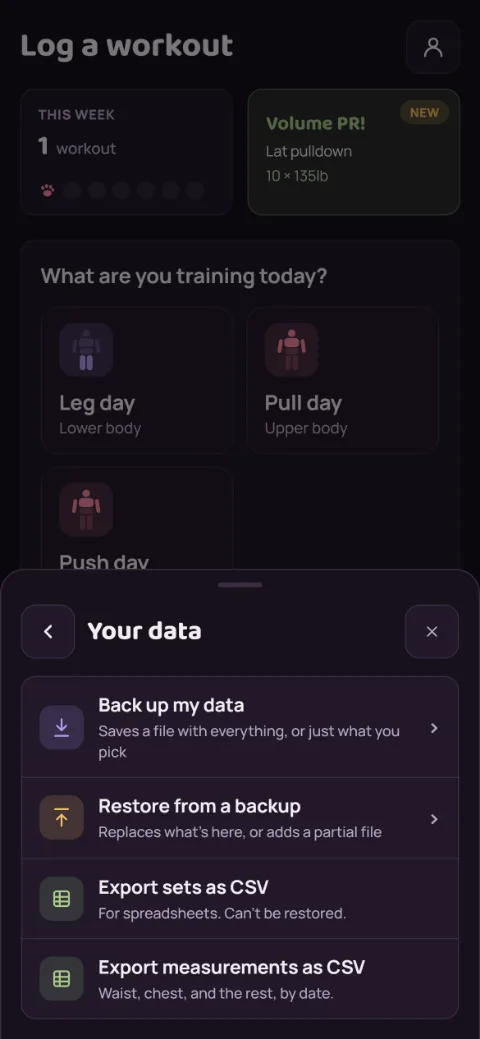
Open Your data
Tap the person icon at the top right, then Your data, then Back up my data.
-
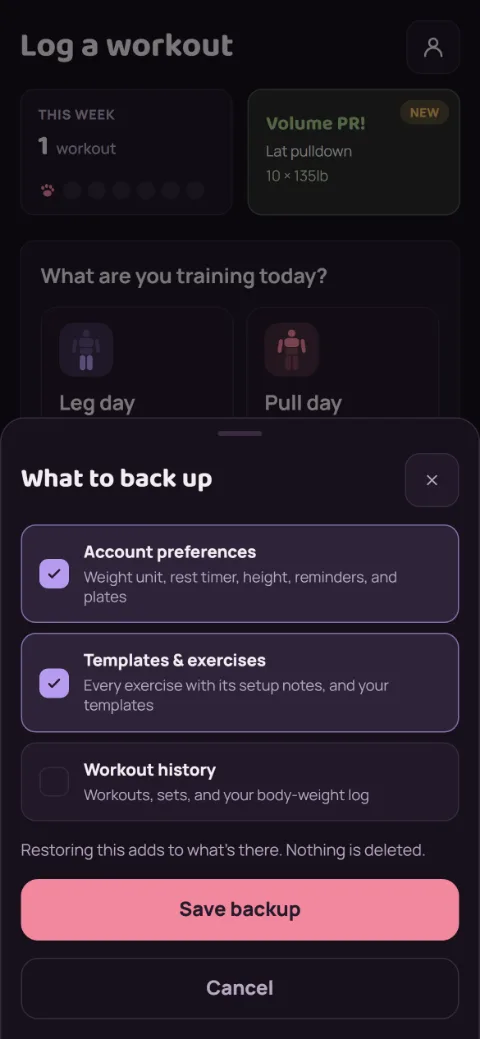
Pick what goes in
All three start checked, which saves a full backup. Uncheck what you want to leave out: Account preferences, Templates & exercises, or Workout history. The note under the list says how restoring the file will work.
-
Save the file
Tap Save backup. Keep the file somewhere off your phone, like iCloud Drive, Google Drive, or an email to yourself.
-
Restore it later
In Your data, tap Restore from a backup and pick the file. A partial backup adds to what’s already there and deletes nothing. A full backup replaces everything.
Finish any workout in progress first. Restoring waits until you do.
Still stuck?
Email [email protected] and tell us what happened. A screenshot helps.