

How-to guide
Body measurements
The scale doesn't show everything. Log your waist, chest, hips, arms, thighs, and neck next to your weigh-ins, and see each one change over time. Measurements are part of Premium. Weigh-ins, height, and BMI stay free.
-
Learn where to measure
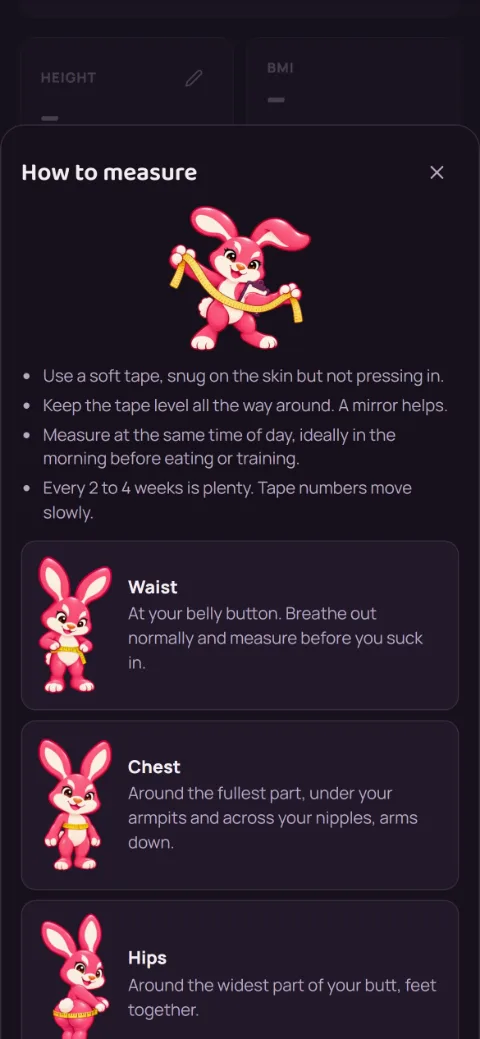
On the Progress tab, tap Body weight, then How to measure on the Measurements card. In short:
 Waist: at your belly button. Breathe out normally and measure before you suck in.
 Chest: around the fullest part, under your armpits, arms down.
 Hips: around the widest part of your butt, feet together.
 Arms: the biggest part of your upper arm, relaxed at your side.
 Thighs: the biggest part of one thigh, just under your glutes, standing.
 Neck: just below your Adam's apple, looking straight ahead.
Use a soft tape, snug but not pressing in, and keep it level all the way around. Measure the same arm and leg each time, at the same time of day. Every 2 to 4 weeks is plenty.
-
Log what you measured
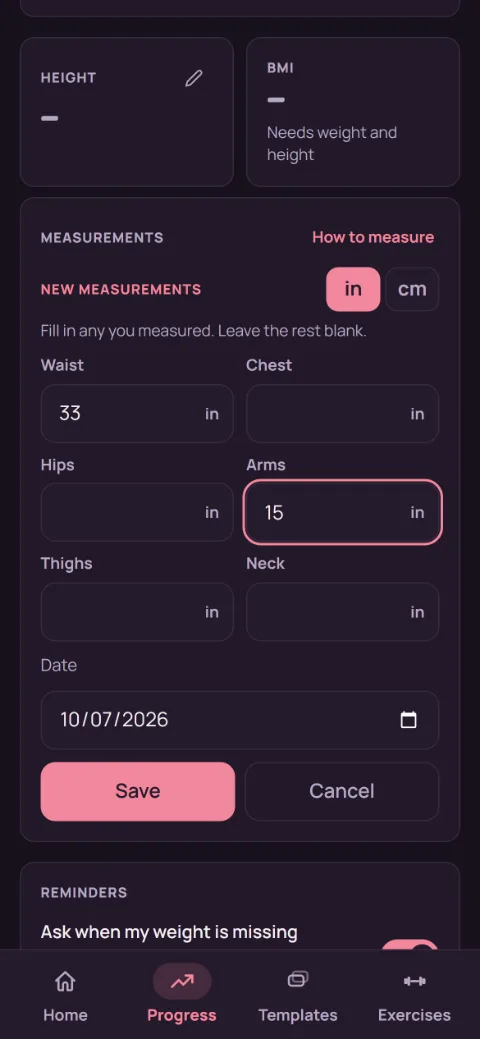
Tap Log measurements. Fill in any of the six and leave the rest blank. Pick in or cm, change the date if you measured another day, and tap Save.
-
See the trend
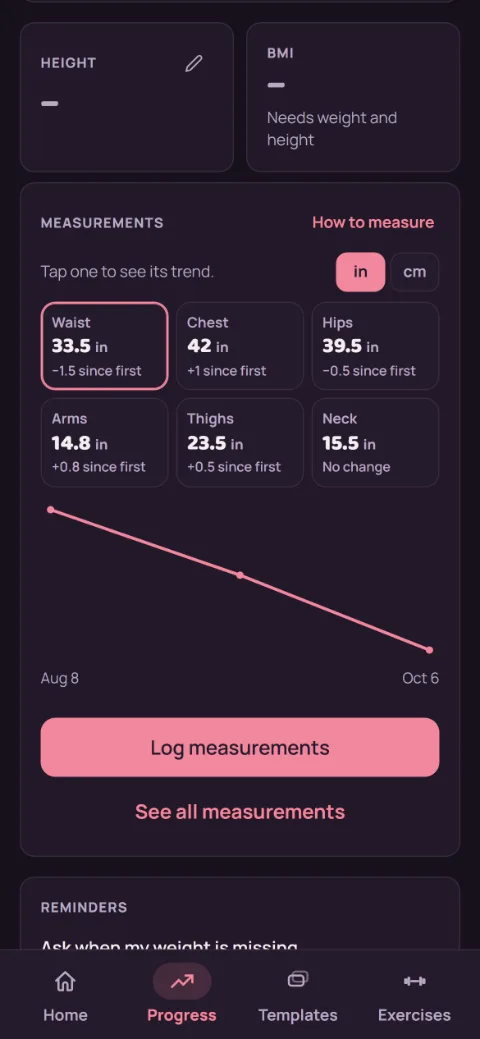
Each spot shows its latest number and how much it's changed since your first entry. Tap one to see its chart. The in and cm switch changes how everything shows, even entries you logged in the other unit.
-
Fix or remove an entry
Tap See all measurements. Every entry is listed, newest first. Tap the pencil to change it, or the bin to delete it.
-
Back them up or export them
Backups include your measurements, so they come back when you restore. For a spreadsheet, tap the account button, then Your data, then Export measurements as CSV.
Still stuck?
Email [email protected] and tell us what happened. A screenshot helps.